
 Atomik Factory presents
Atomik Rack: a free, open-source DAW
A free, open-source, rack-based DAW for Windows, Linux and macOS, written in Rust. Patch devices with cables, mix on a real console and host your CLAP and VST3 plugins.
- Pre-1.0
- GPL-3.0
- Written in Rust
- v0.4.0-rc.2
Download Atomik Rack
v0.4.0-rc.2 pre-release
Free to download and use. Installers, portable archives and packages for every system are on the download page, with a checksum file for each release.
- Your system
Windows
x86-64
Windows 10 or 11. Run the installer, or unzip the portable archive and start atomik.exe.
- Your system
Linux
x86-64
Ubuntu 26.04 is the main target. The AppImage runs on any distribution with ALSA, fontconfig and a Vulkan or OpenGL driver.
- Your system
macOS
Apple Silicon + Intel
Universal build. Only tested on GitHub Actions so far, not on real Macs by hand: reports are welcome.
Watch the tour
Every part of the Atomik Rack window in a few minutes: the rack, the console, the arrangement and the browser.
All tutorialsEverything you need to make a track
Instruments, effects, a mixer and an arrangement, in one rack you can rewire while the music plays.
-
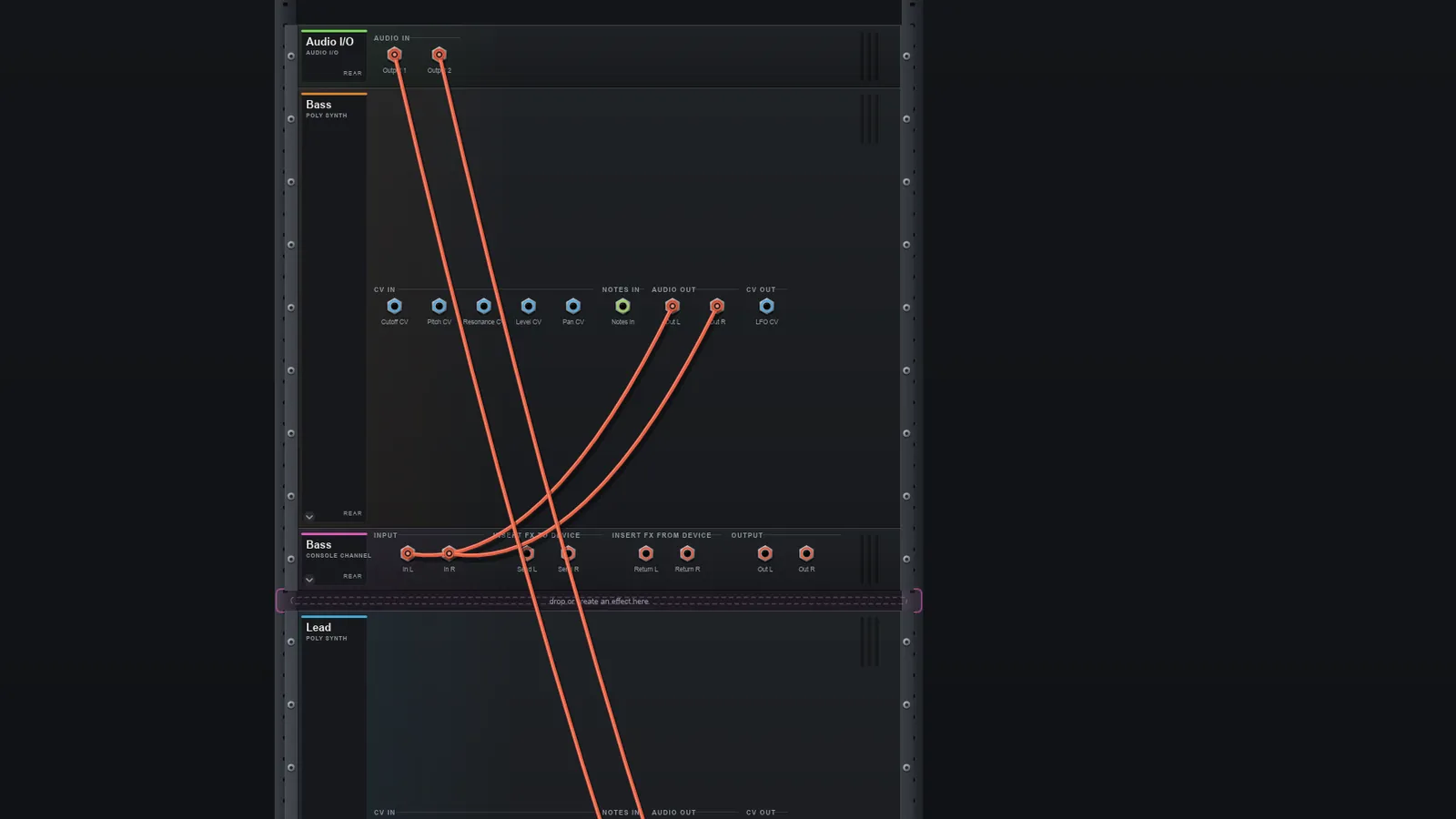
A rack of devices, patched with cables
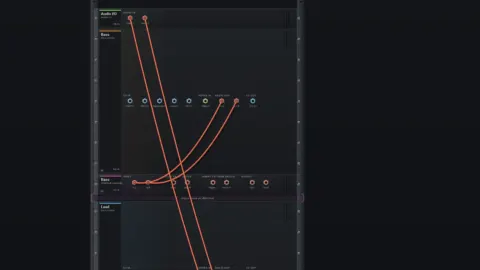
Put devices in a rack, flip to the back and patch audio, CV and note cables. Cables are checked as you connect, and you can add, remove and rewire while the audio plays, with undo and redo.
-
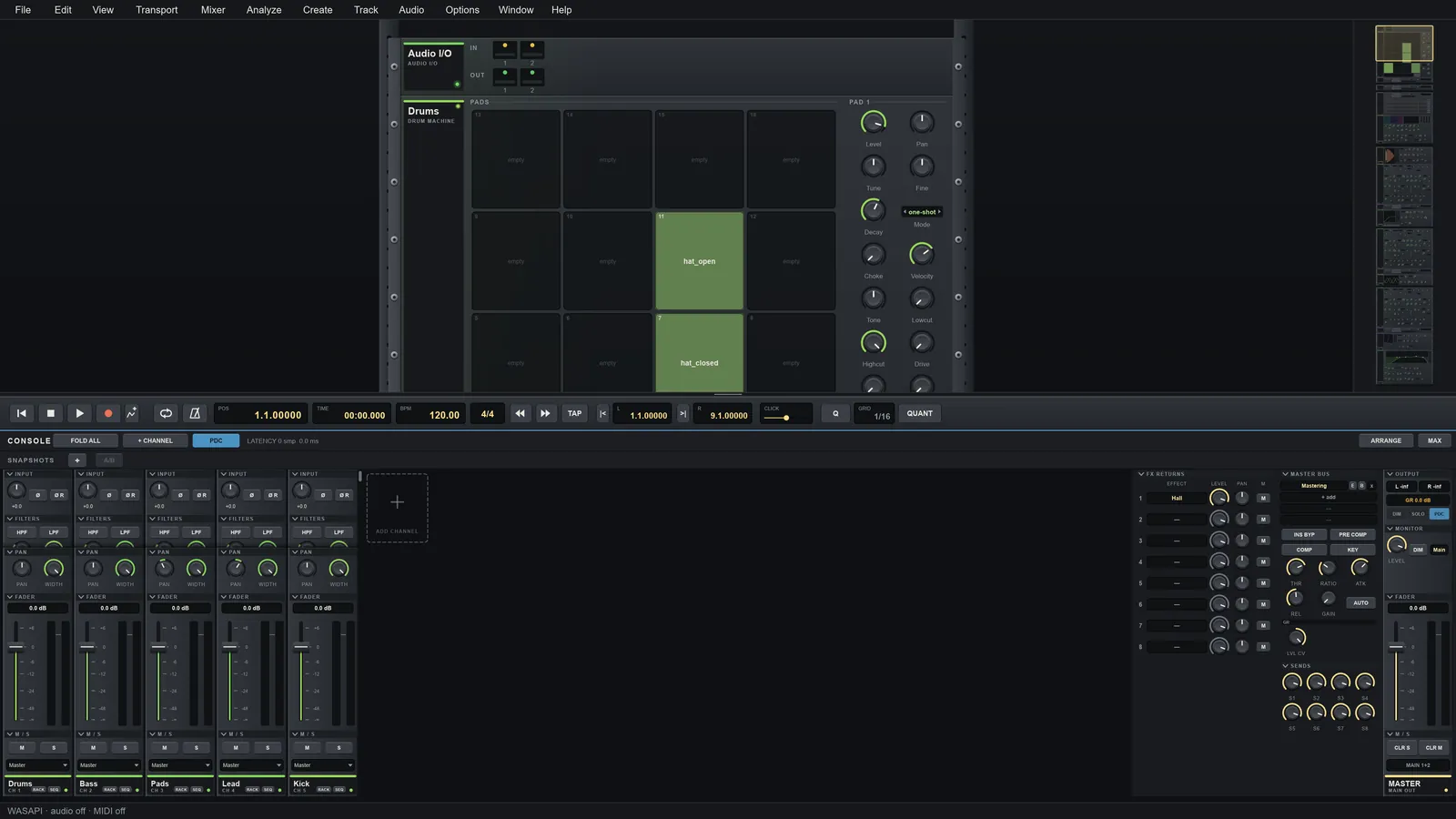
A real console and master section
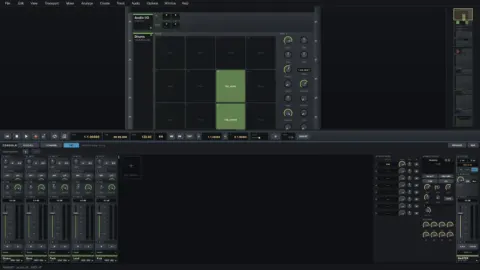
Every instrument gets a channel strip with filters, dynamics, EQ, an insert chain and 8 sends. A locked master adds send buses, FX returns, a sidechain bus compressor and automatic delay compensation.
-
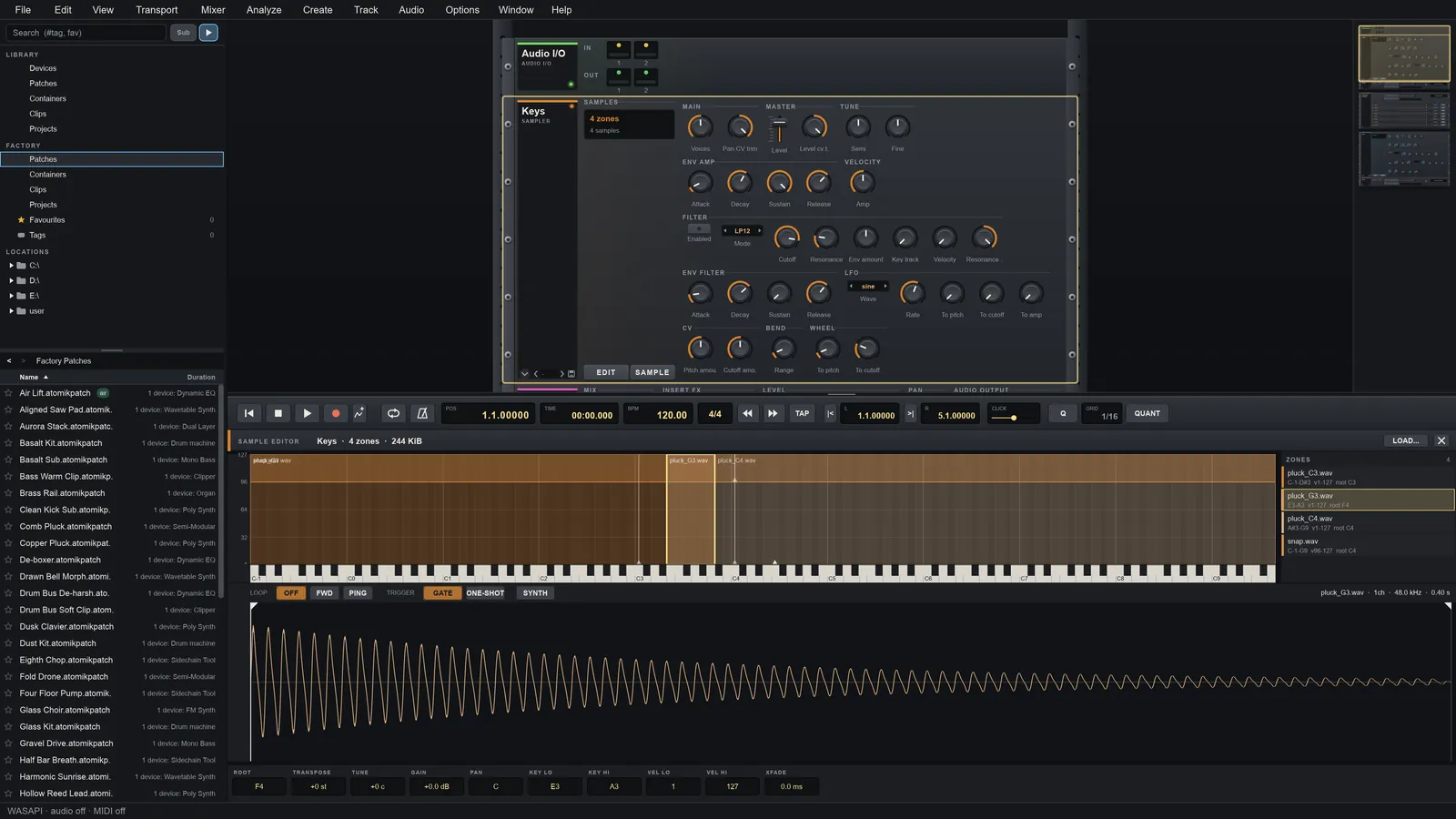
Sampler, drum machine and loop slicer
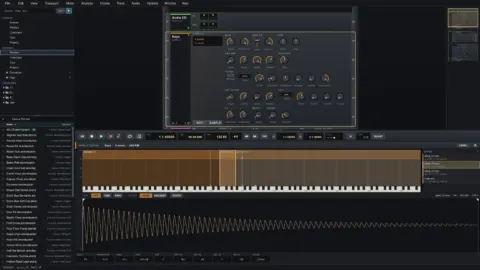
A multi-zone sampler with loops and crossfades, a 16-pad drum machine with choke groups and velocity layers, and a loop slicer with transient detection that turns slices into a track.
-
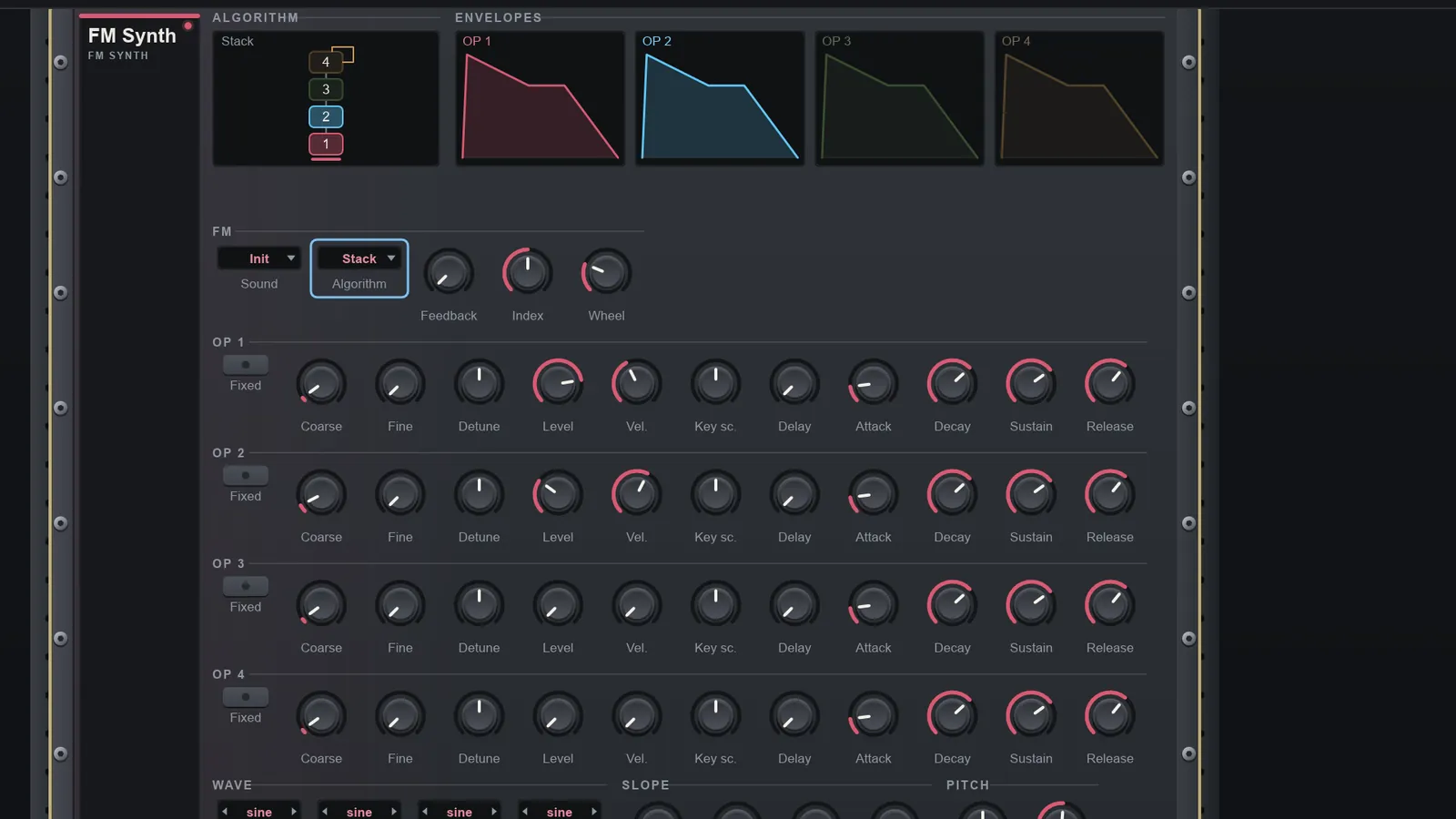
FM, wavetable and grain synths
A four-operator FM synth with twelve routings, a wavetable synth with twelve band-limited tables and unison, and a grain sampler that turns one sample into a cloud of grains.
-
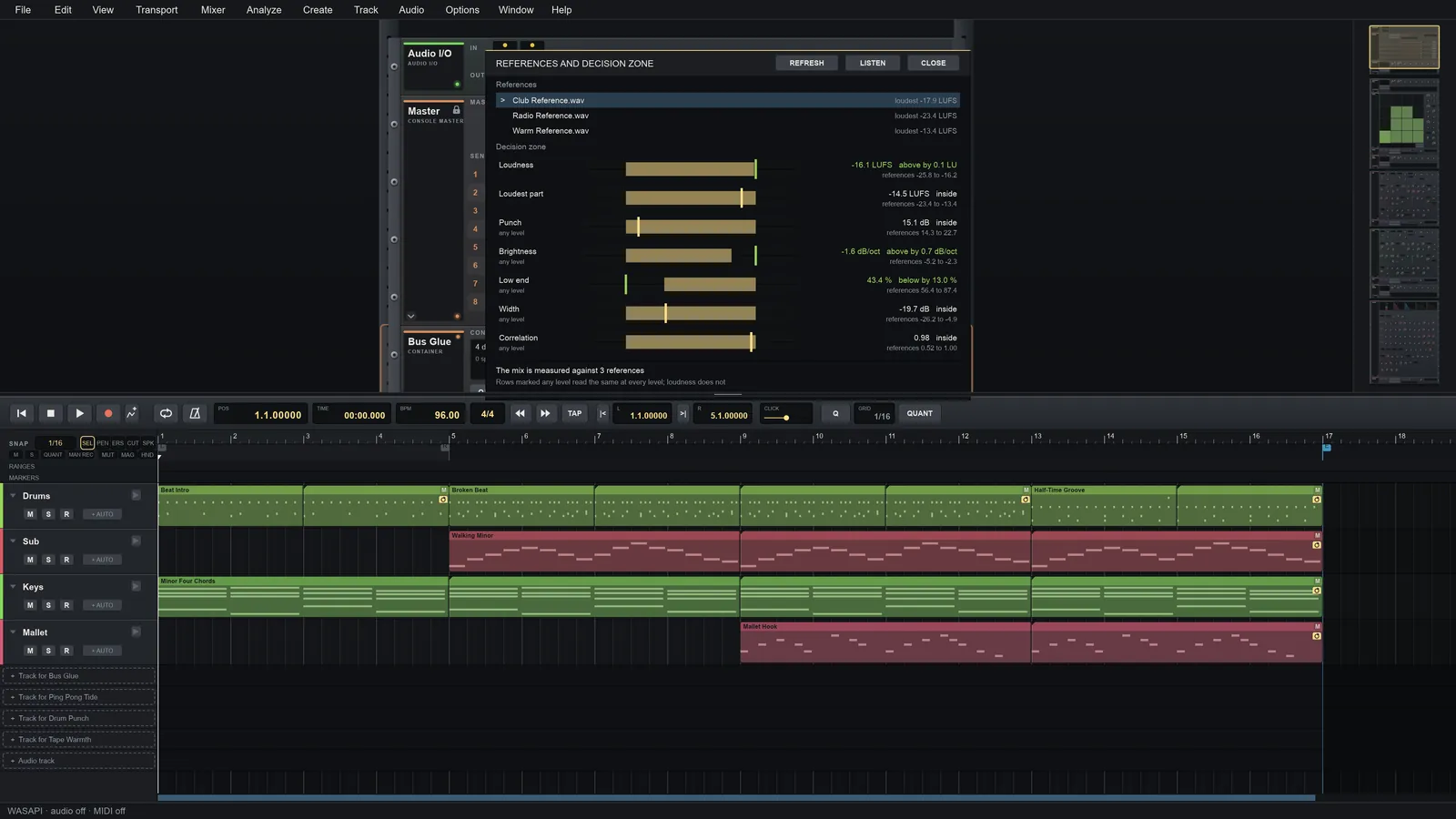
Effects and a mastering suite
Reverb, compressor, 6-band EQ, distortion, a guitar amp, modulation effects and spectrum analysers, plus mastering tools: multiband dynamics, stereo width, a true-peak limiter and a BS.1770 loudness meter.
-
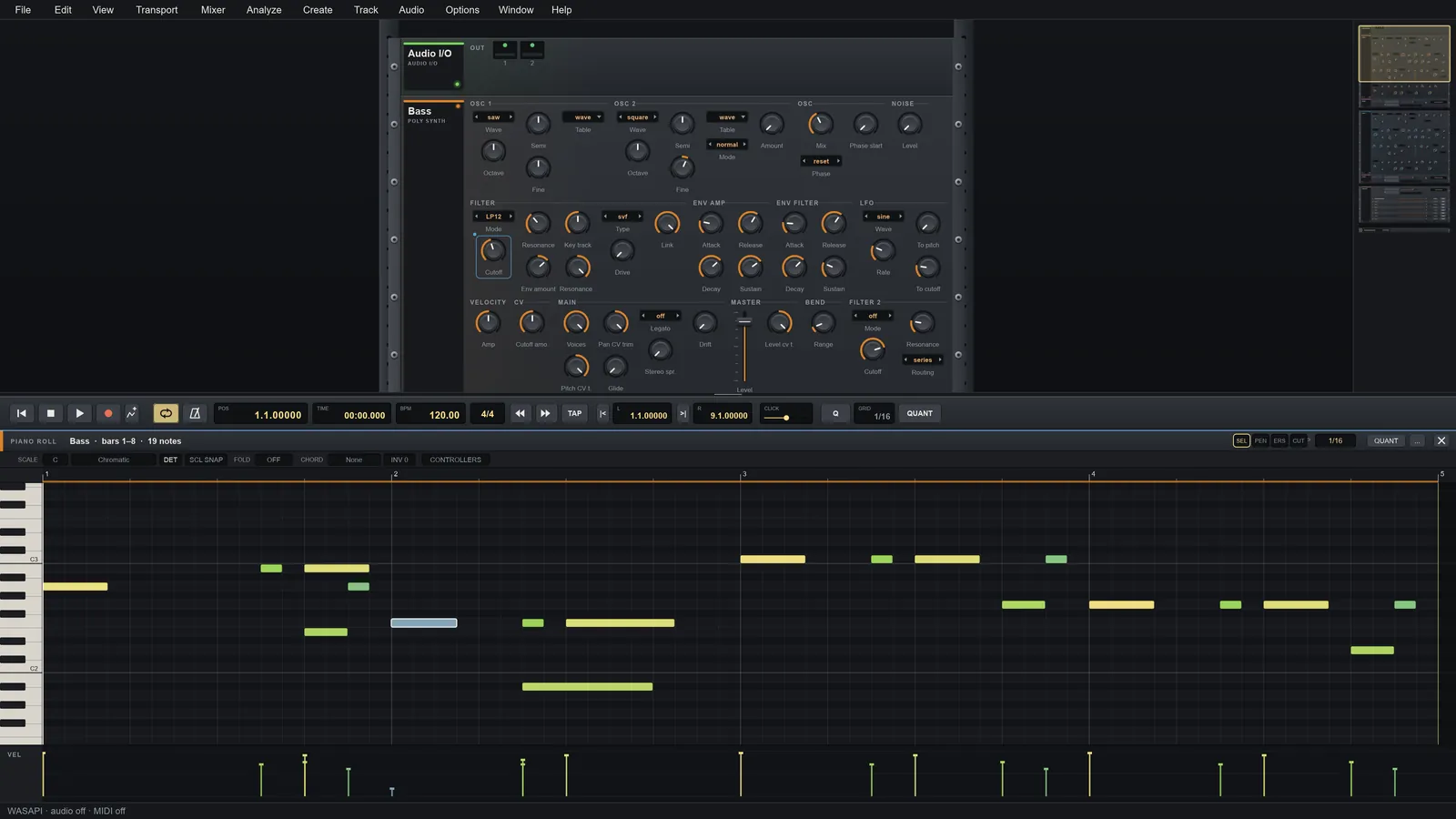
Arrangement and audio recording
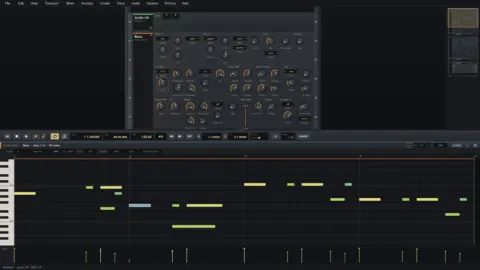
Note, automation and audio clips with a piano roll and step, slice and sample editors. Import WAV, AIFF, FLAC, MP3 and OGG, and record audio with latency compensation.
And a lot more
-
Sequencers and note tools
A step sequencer, an arpeggiator, a Key & Chord device that locks notes to a scale, a note repeater and a note delay. Players stack above an instrument and send notes and CV to any device.
-
Containers and macros
A container holds a whole rack of its own with 8 macro knobs and key or velocity note splits. Build a patch once, fold it into one device and reuse it.
-
CLAP and VST3 plugin hosting
Load CLAP and VST3 instruments and effects as rack devices. Each plugin runs in its own process, so a crashing plugin cannot take the app down. VST2 is not supported.
-
File browser and library
A docked browser (F9) to search by name or tag, preview audio with one click and drag it onto the arrangement or a sampler. Save devices, containers and clips to your own library.
-
Export and offline rendering
Export the song, the loop or a selection to WAV, AIFF or FLAC with dither and a loudness report, or to MP3, AAC and Opus with FFmpeg. A command-line renderer bounces projects bit-identically.
-
Private by design
Atomik Rack sends nothing about you or your computer. The only network use is an optional daily check for a newer version, which asks first and downloads nothing.
A look inside
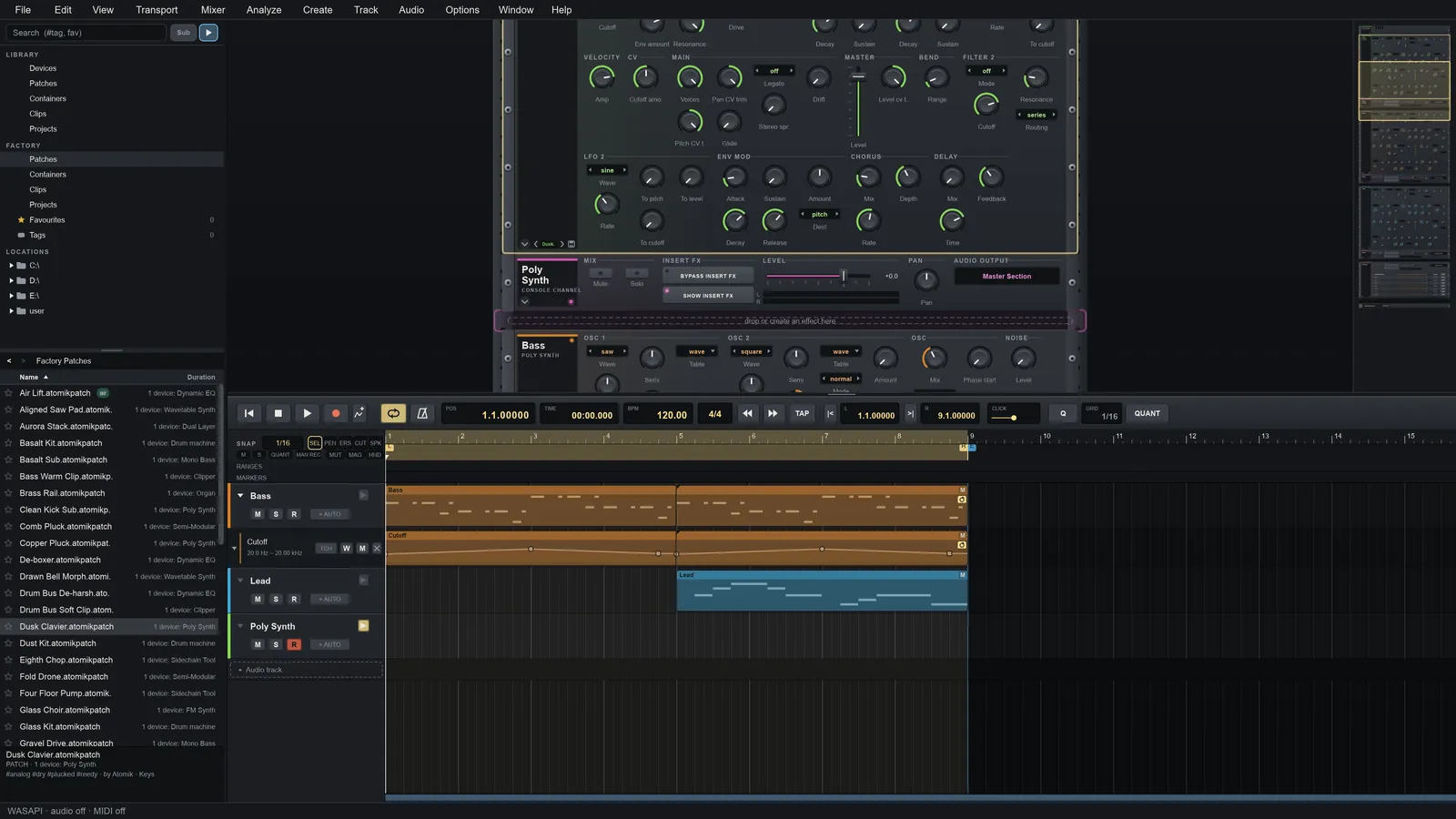
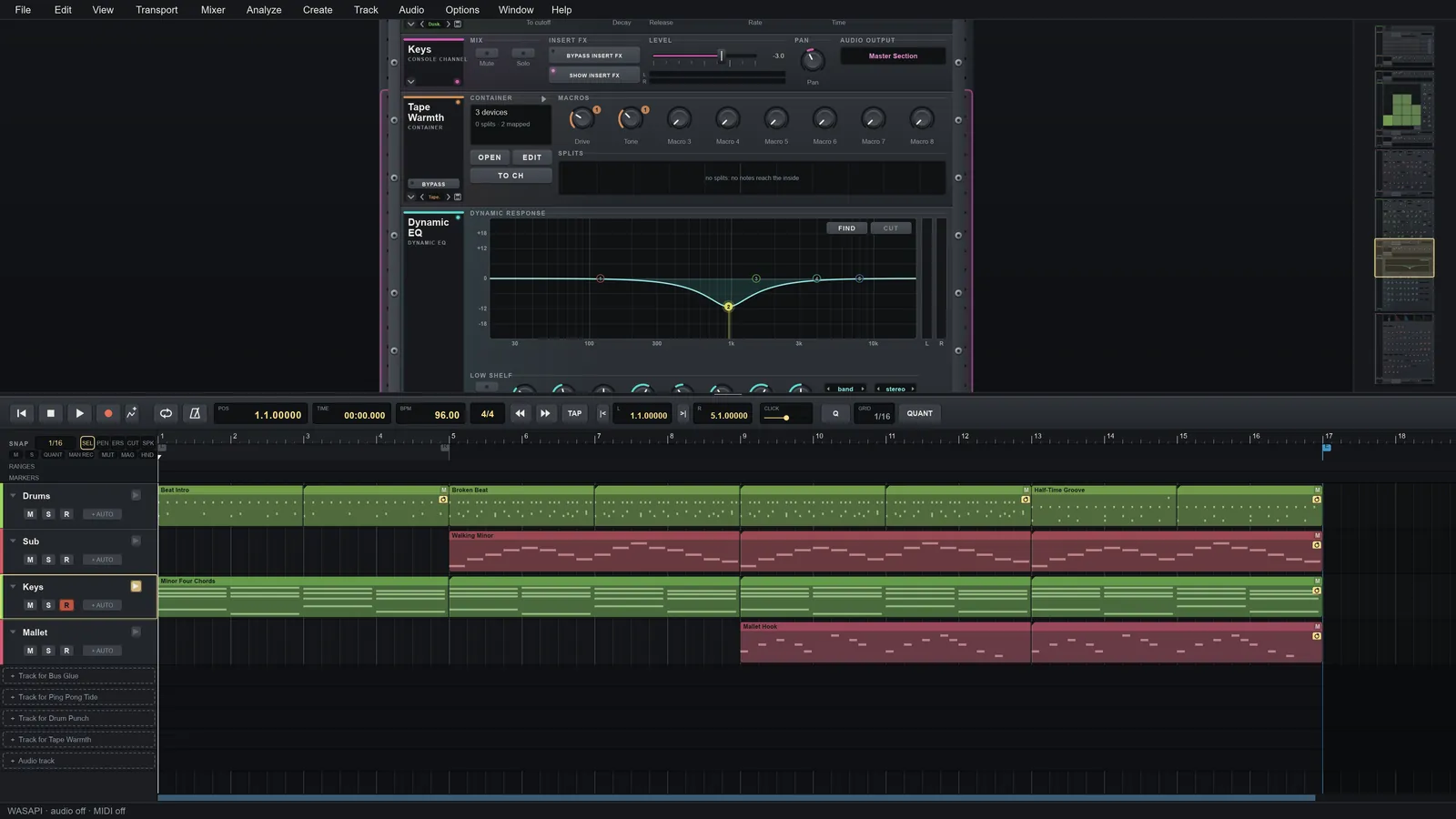
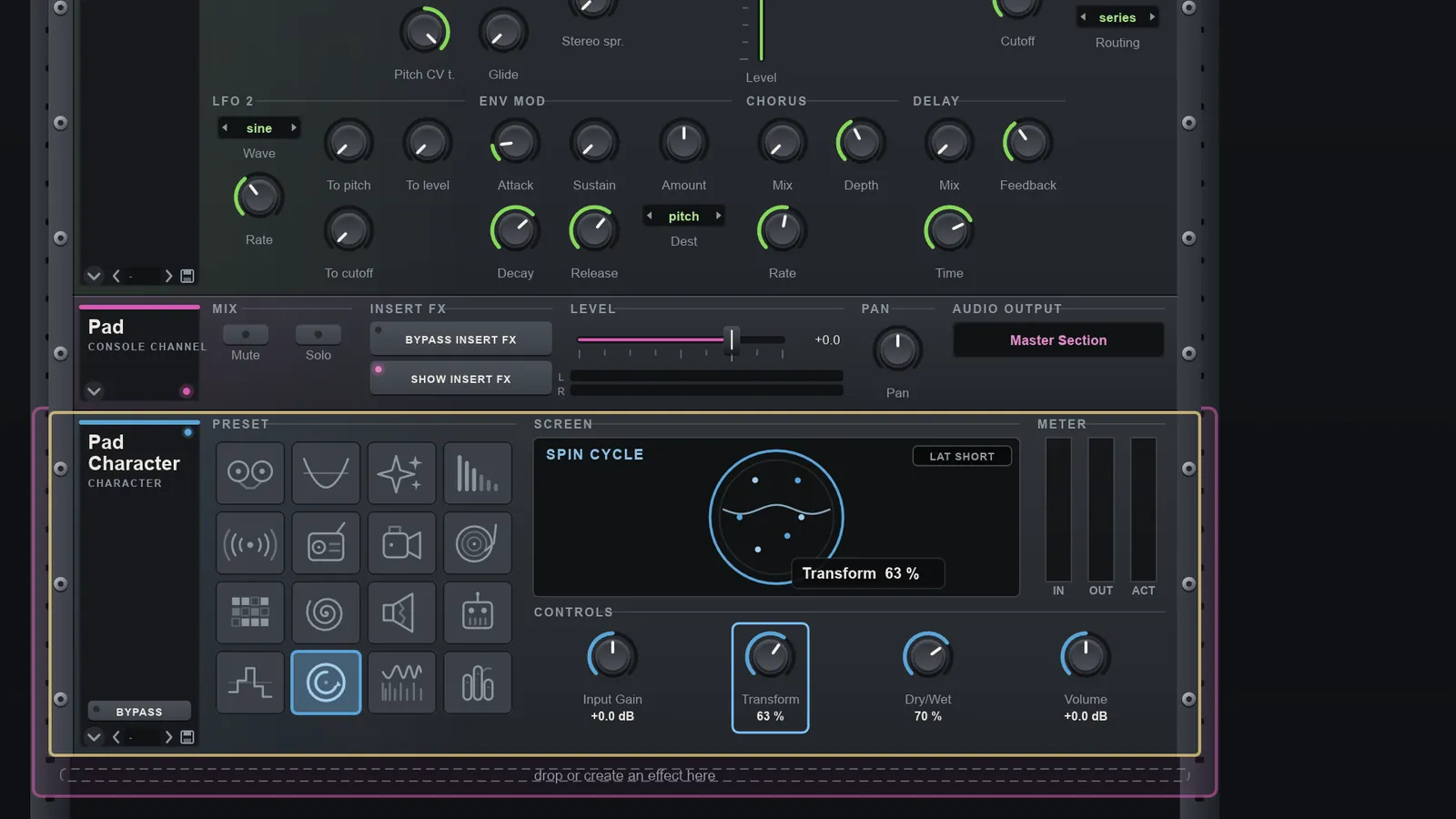
Select a screenshot to enlarge it. Rack, browser and arrangement (opens the full image)
 Console and mixer (opens the full image)
 Back panel and cables (opens the full image)
 Piano roll (opens the full image)
 Sampler (opens the full image)
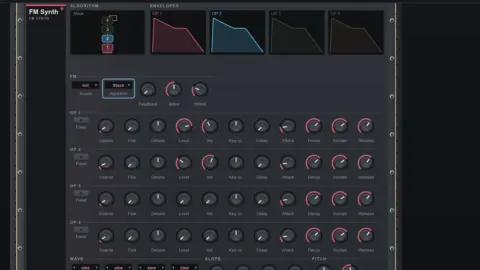 FM synth (opens the full image)
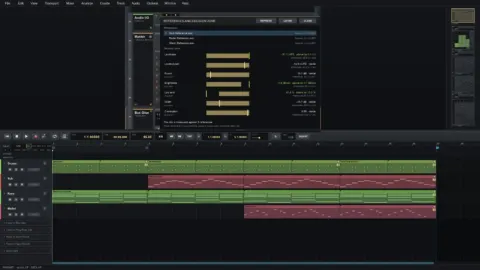 Reference and decision zone (opens the full image)
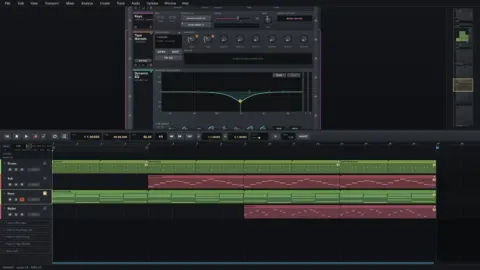 Dynamic EQ (opens the full image)
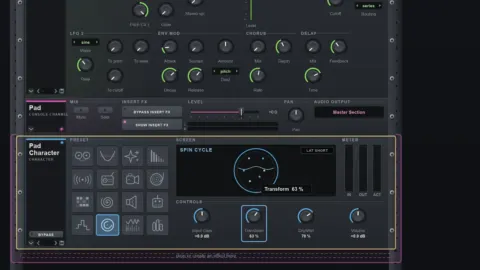 Character effect (opens the full image)
Learn it in a few minutes
All tutorials-
 Play, Loop and Set the Tempo
Control playback in Atomik Rack: play and stop, set a loop with the L…
-
 Make Your First Sound
Add a Poly Synth, make a one-bar clip, write four notes in the piano…
-
 A Tour of the Window
A guided tour of the Atomik Rack window: the rack of devices, the transport…
Inside the program, Help > Guided Tour walks you through your first song, and Help Mode (Shift+F1) explains any control under your pointer.
Open source, built in the open
Atomik Rack is original work released under the GPL-3.0-or-later. Read the code, build it yourself, report a bug or send a fix.
On the roadmap
- Signed Windows and macOS builds
- More Linux distributions and audio setups verified, a Flatpak on Flathub
- More original devices, instruments and effects
- A stable device SDK so others can write devices for the rack
Intentions, not promises. Read the full roadmap (opens in a new tab)
Questions, answered
Is Atomik Rack really free?
Yes. Atomik Rack is free to download and use, and it is open source under the GPL-3.0-or-later licence. The source code is on GitHub. If you like it, you can optionally support the work with a coffee.
Which operating systems does it run on?
Windows (x86-64) and Ubuntu Linux (x86-64) are the main platforms: the program is developed and tested by hand on both, including ASIO audio on Windows. An AppImage is available for other Linux distributions, but they have not been checked yet. macOS builds (Apple Silicon and Intel) are tested only on GitHub Actions, so reports from Mac users are especially welcome. See the download page.
Does Atomik Rack support VST3 and CLAP plugins?
Yes. CLAP and VST3 instruments and effects load as rack devices like any built-in device. Each plugin instance runs in its own process, so a plugin crash cannot take the app down. VST2 is not supported.
Is it stable? Can I use it for real projects?
It is pre-1.0, so nothing is stable yet: file formats, APIs and behaviour will change between versions, and the changelog lists every change. Saves are atomic and the audio engine is tested, but keep backups of projects you care about and pick a release rather than a nightly build.
How do I learn Atomik Rack?
Start with the video tutorials. Inside the program, a short setup gets sound working on first start, Help > Guided Tour walks you through making your first song, and Help Mode (Shift+F1) explains the control under your pointer.
Does it collect data about me?
No. Atomik Rack sends nothing about you or your computer. It can optionally check once a day for a newer version, but only after you say yes, and it never downloads or installs anything by itself.
Made by the producer behind Atomik Circus
Atomik Rack grew out of making synthwave and drum & bass: the tools are built to make tracks like these. Latest release: Strong Gust.